
Verity mod for Minecraft PE
Ignitus ProbidaEntertainment
4.63.00 Reviews
- Version
- 1.0.7
- Installs
- 100.00K
- Age Rating
- Everyone
Screenshots
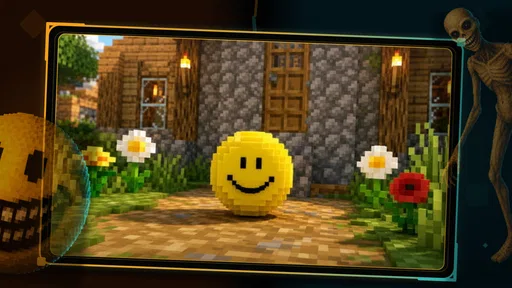
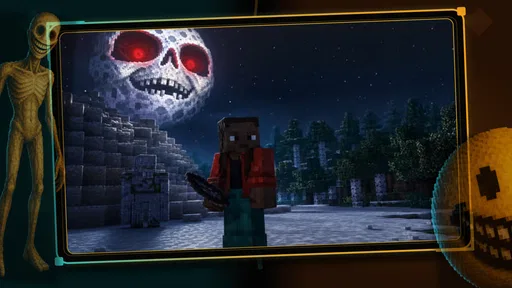
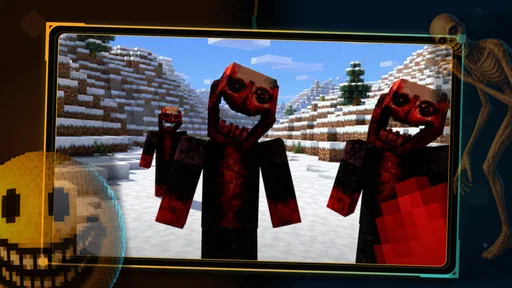
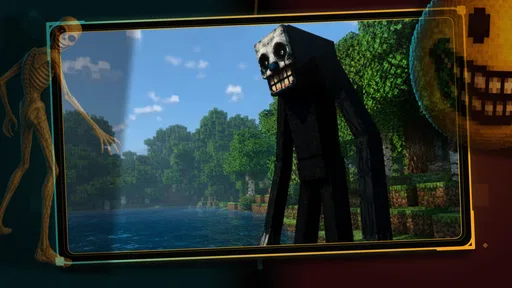
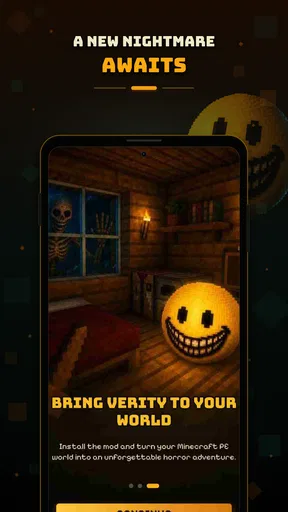
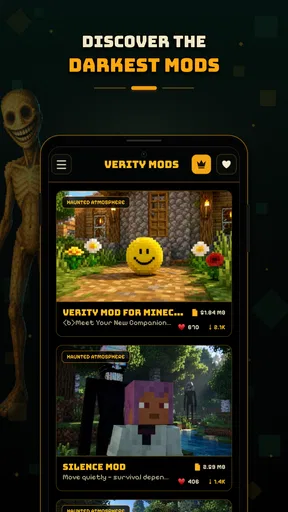
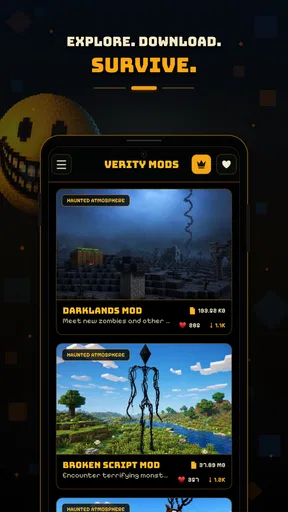
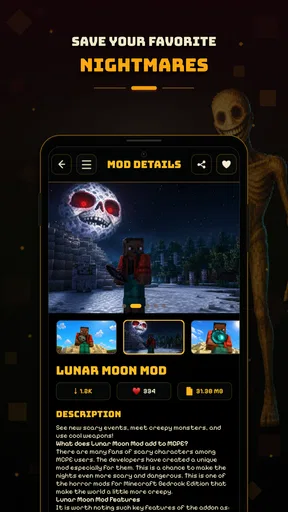
Our Review of Verity mod for Minecraft PE
 Analysis by Appyee
I approached Verity as a companion for Minecraft PE players who want a quick route into darker, more unsettling mod content. Its appeal is easy to understand: instead of treating Minecraft only as a relaxed building game, it points attention toward scary experiences built around the mobile and Pocket Edition side of the game. After spending time with it, I found the strongest part is the immediacy. It gives horror fans a focused place to browse rather than asking them to search through unrelated entertainment content.
That focus also creates the central question: does Verity remain useful after the first burst of curiosity? My answer is cautiously positive, but only for a particular kind of player. If you regularly play Minecraft PE with friends, enjoy changing the atmosphere of familiar worlds, and like trying unusual horror ideas, it can earn a place on your phone. If you want a complete horror game that works independently, or you dislike managing external Minecraft content, the attraction may fade quickly.
What Verity is really for
Verity is an entertainment app from Ignitus Probida, built around scary mods for Minecraft PE and MCPE. It is free to install, carries an Everyone content rating, and works on Android devices running version 8.0 or later. Those details make it approachable for a broad audience, although the subject matter still deserves a little parental judgment because “Everyone” does not mean every horror-themed addition will suit every child.
The app has reached over one hundred thousand installs and holds a 4.6 average from around five hundred ratings. I would read that as a sign of clear interest rather than proof that every user will have the same experience. The current version is 1.0.7, and the app is listed as released on July 30, 2026. It is free at the entry point, while in-app purchases are listed at up to $43.99 per item, so I would keep that possibility in mind before handing the phone to a younger player.
The store short description is simply “Verity,” while the longer summary frames the app as a way to meet Verity and explore scary Minecraft PE and MCPE mods. In practical terms, I see it less as a replacement for Minecraft and more as a discovery layer. You still need Minecraft itself to get the full value from the content, and the app makes most sense when you already have a habit of playing the mobile edition.
The first week: quick curiosity with a useful purpose
During the first week, the most enjoyable part is the feeling of changing a familiar game without abandoning it. Minecraft’s basic worlds can become routine, especially when you already know your preferred building materials, survival habits, and exploration routes. Horror-oriented mods give that familiar setting a different emotional rhythm. A normal cave, forest, or quiet night can feel more interesting when you are deliberately looking for danger or an unexpected encounter.
That makes Verity particularly suitable for a player who has run out of ideas for a weekend session. Rather than starting another ordinary survival world, you can use the app as a prompt for a themed play session. I found that this works best when I treated each discovery as a small experiment: choose one concept, install or use it carefully, test it in a separate world, and only then decide whether it deserves a place in a regular save.
That separate-world habit is one of my most important recommendations. Horror content can alter the tone of a world, and any add-on that changes gameplay deserves testing away from a long-term build. It also makes comparison easier. If one mod creates the kind of tension you enjoy and another feels repetitive, you can remove the weaker choice without putting a favorite project at risk.
Verity’s first-week value also comes from reducing the mental effort of deciding what to try. Searching the wider internet for Minecraft modifications can lead to confusing names, outdated instructions, or content that is difficult to judge from a short description. A focused app gives the search a clearer starting point. That does not remove the need for care, but it makes the discovery process feel less scattered.
For a group of friends, the app can be even more useful. One person can browse for a frightening theme, another can prepare a world, and the group can agree on a simple challenge before playing. For example, you might decide to explore only at night, avoid certain tools, or see who can remain calm while investigating an unfamiliar area. The app does not need to provide a complete social system for this to work; its role is to supply the spark for a shared Minecraft session.
How to turn a novelty into a repeatable routine
Horror mods are naturally strong at creating a first impression, but first impressions are not the same as lasting value. After the initial surprise, I started judging Verity by a more practical standard: could it help me plan another session without making the process feel like work? The answer depends on how deliberately you use it.
I recommend keeping a small personal rotation instead of collecting everything that looks frightening. Pick a few concepts with different moods. One might suit a short solo session, another might be better with friends, and a third could work as a challenge for a longer survival world. This avoids the common problem of installing many similar additions and then forgetting what made each one interesting.
A useful monthly routine is to revisit the app only when you have a clear Minecraft goal. Before a weekend session, browse for something that matches the mood you want rather than opening the app every day without a plan. This makes the discovery process feel intentional and protects it from becoming another endless feed. The best long-term use is selective, not constant.
I also found it helpful to record a few simple notes outside the app: which content worked alone, which was better with friends, and which changed the game too aggressively for a favorite world. That may sound excessive for an entertainment app, but it prevents repeated trial and error. It also makes Verity more valuable over time because your own list becomes a personal filter.
There is a trade-off here. The more carefully you curate, the better your sessions can become, but the less Verity feels like effortless entertainment. Players who enjoy browsing and testing will consider that part of the fun. Players who want to tap once and receive a polished, self-contained campaign may find the process too dependent on their own preparation.
Where the maintenance begins
The main maintenance burden is not the app itself; it is the relationship between the app, Minecraft PE, and the content you choose to use. Every modification introduces another point that may need attention. You may need to check whether it suits your edition, decide which world should receive it, and remove it cleanly when you want to return to a normal experience.
That is why I would not install anything directly into a valuable long-running world without testing first. Make a copy or use a temporary world, then spend enough time checking the atmosphere and basic behavior before committing. This workflow is especially important for mobile players, who may have less storage, smaller screens, and fewer convenient recovery options than someone playing on a desktop setup.
Another practical tip is to keep your Minecraft worlds organized by purpose. A standard survival world, a creative build, and a horror-testing world should not be treated as the same thing. Separating them makes it easier to remember what you changed and reduces the chance that an experimental session will disrupt a project you care about.
Version awareness matters as well. Verity is currently at version 1.0.7, but the app and Minecraft environment may evolve independently. I would check the app after updates, read its current instructions carefully, and avoid assuming that a method that worked earlier will always behave identically. This is not a reason to avoid the app; it is simply the cost of using Minecraft modifications instead of ordinary, fixed entertainment content.
Storage and attention are part of the maintenance equation too. A player who downloads every appealing option can end up with a cluttered device and a confusing library. I prefer removing experiments that no longer add anything and keeping only the content I can explain clearly. That makes future sessions faster and helps Verity feel like a useful tool rather than a pile of abandoned ideas.
The points where the excitement can wear thin
The biggest source of fatigue is repetition. Horror depends heavily on uncertainty, and once a player understands the pattern behind an experience, the tension can drop. A frightening theme may be excellent during the first session and ordinary by the third. Verity can help you discover new directions, but it cannot guarantee that every option will stay surprising.
There is also a difference between atmosphere and depth. A darker setting or a threatening idea can make Minecraft feel fresh for a while, but long-term players may eventually want more than mood. If you are looking for a carefully structured story, complex progression, or a full campaign with a definite ending, a dedicated horror game will probably serve you better. Verity is more appealing when you enjoy building your own context around the content.
The setup process may be another friction point. Players who are comfortable experimenting with Minecraft worlds will likely accept it as part of the hobby. Someone who expects the simplicity of opening a streaming app and pressing play may become impatient. In my experience, the app’s value rises when you enjoy the preparation and falls when preparation feels like an obstacle between you and the game.
I would also be careful about the difference between “free” and completely cost-free use. Verity is free to install, but in-app purchases are listed at $43.99 per item. That does not automatically make the app poor value, yet it does mean I would review any purchase screen carefully and avoid assuming that every part of the experience is included without payment. This matters most on shared devices or when children are using the phone.
The Everyone rating is reassuring from an access perspective, but horror is personal. Some younger players may enjoy spooky ideas, while others may find them upsetting even when the presentation is not extreme. I would supervise first use for children, especially if they are playing alone at night. That is a judgment about the theme, not a criticism of the app’s rating.
Who should make room for it?
I think Verity is a good match for existing Minecraft PE players who want a reason to return to the game. It is also suitable for friends who enjoy creating their own rules and challenges around a shared world. If you like browsing for unusual content, testing possibilities, and gradually building a personal rotation, the app offers more lasting value than its simple presentation might suggest.
It is less suitable for someone who does not already play Minecraft. Without the main game, the app’s purpose is limited, and it should not be mistaken for a standalone horror title. I would also steer away from it if you want a carefully moderated, highly predictable experience with no setup or compatibility decisions.
Compared with ordinary entertainment apps, Verity is more interactive but less immediate. A video, podcast, or conventional horror game delivers its experience directly. Verity instead helps reshape a game you already own. That gives it a distinctive advantage for Minecraft fans, but it also makes the quality of your experience depend on your own choices, device, Minecraft setup, and willingness to maintain separate worlds.
My long-term verdict
After the novelty fades, I would keep Verity installed if Minecraft PE is already part of my regular entertainment routine. Its lasting value comes from helping me find new reasons to revisit a familiar game, not from providing an endless stream of guaranteed scares. Used selectively, it can support solo experiments, group challenges, and themed survival sessions without demanding that I abandon the Minecraft worlds I already enjoy.
My recommendation comes with a clear condition: treat it as a discovery companion, not a finished horror game. Test content in separate worlds, keep your collection small, watch for compatibility changes, and be mindful of purchase prompts. Those habits reduce the maintenance burden and make the app much easier to live with month after month.
For the right player, that is enough. Verity does not need to replace every other entertainment option; it only needs to make Minecraft feel unfamiliar again from time to time. If that is the kind of recurring value you want, Ignitus Probida’s app is worth trying. If you want a self-contained experience that stays fresh without organization or experimentation, I would choose a dedicated horror game instead.
Verdict
Strengths of Verity mod for Minecraft PE
- Adds new gameplay features and content to Minecraft PE.
- Can make survival and creative sessions feel more varied.
- May offer extra customization beyond the standard game.
- Useful for players looking for a different Minecraft PE experience.
- Mod installation can expand replay value for experienced players.
Limitations of Verity mod for Minecraft PE
- Compatibility may vary between Minecraft PE versions and devices.
- Unofficial mods can cause crashes, glitches, or corrupted worlds.
- Some features may require additional files or manual setup.
- Updates may arrive later than official Minecraft releases.
- Downloading from unofficial sources can involve security and privacy risks.
Similar Picks in This Category
View All
Google Play Games
Google LLC3.9

Netflix
Netflix, Inc.4.8

YouTube Kids
Google LLC4.2

Disney+
Disney4.4

Prime Video
Amazon Mobile LLC4.7

Steam
Valve Corporation3.2
Frequently Asked Questions
What is Verity Mod for Minecraft PE?
Verity Mod is a third-party modification created for Minecraft: Pocket Edition and Bedrock-compatible mobile versions. Depending on the release, it may add new gameplay features, visual changes, items, menus, or utility functions that are not included in the standard game. Because it is unofficial, its exact contents can vary between versions, developers, and download sources, so users should read the description carefully before installing it.
Is Verity Mod compatible with my Android or iOS device?
Compatibility depends on the specific Verity Mod release and the Minecraft version installed on your device. Most Android mods are distributed as APK, ZIP, MCAddon, or similar files, while iOS installation can be more restricted and may require a compatible import method. Before downloading, check the required Minecraft version, operating-system support, available storage, and whether your device allows installation of content from outside the official app stores.
Can Verity Mod damage my Minecraft worlds or game data?
Any unofficial mod can create compatibility problems, especially after a Minecraft update or when combined with other add-ons. Before testing Verity Mod, make a backup of your worlds, resource packs, and important settings. If the mod causes crashes, missing textures, corrupted behavior, or loading errors, remove it and restore the backup. Avoid installing files from suspicious websites, since modified packages may also contain unwanted or harmful software.
Does Verity Mod work in multiplayer or on Minecraft servers?
Multiplayer support depends on how Verity Mod changes the game and whether the other players or server accept the same add-on. Some modifications work only in single-player worlds, while others require every participant to install matching content. Server rules may prohibit mods that provide unfair advantages, alter gameplay, or affect other players. Always check the server policy before joining, and remember that using unauthorized modifications can result in removal or account restrictions.
Is Verity Mod free, and is it safe to download?
Verity Mod may be offered as a free download, but availability and installation requirements can differ between sources. The safest approach is to use a reputable page, inspect requested permissions, scan files with trusted security software, and avoid downloads that demand unnecessary personal information or payment details. Since it is not an official Mojang or Microsoft product, there is no guarantee of support, updates, privacy protection, or complete safety from third-party distributors.
